
Step 01
Configure templates
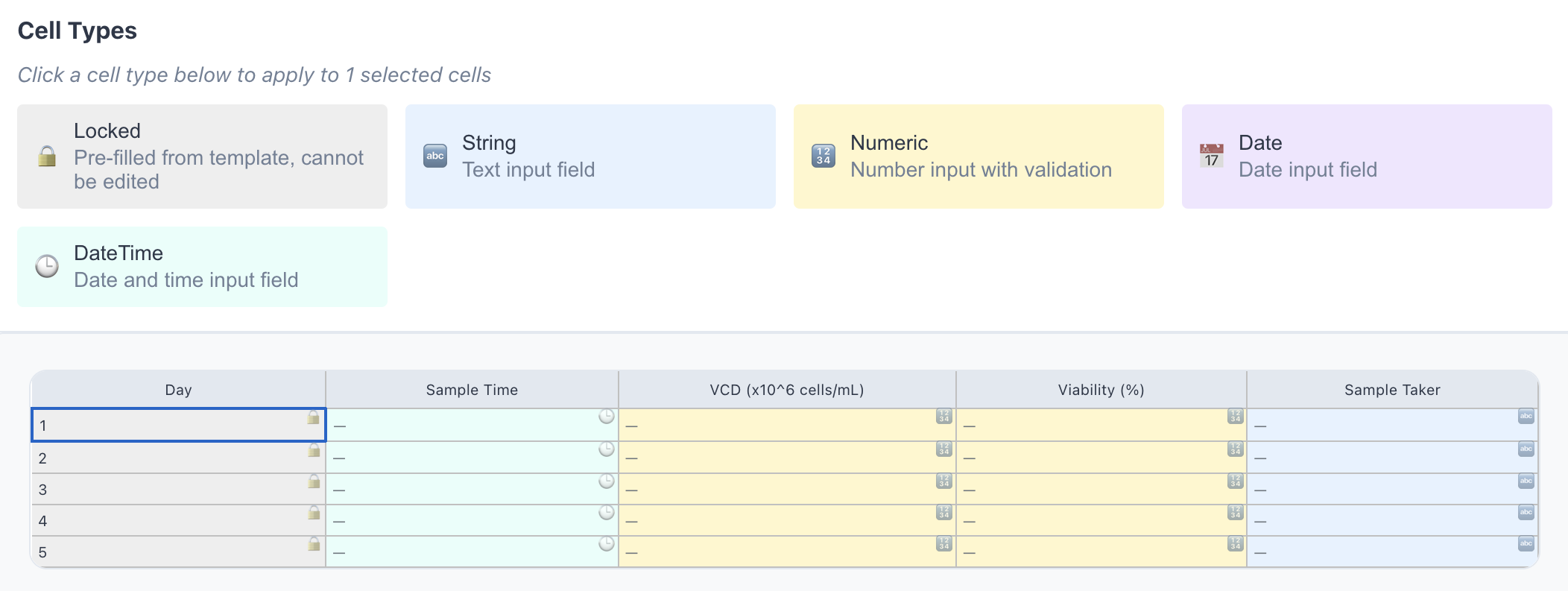
Create templates for automated data extraction, manual entry, or file sharing. Validation rules and a predefined structure ensure you stay in control of your data. No code required.
- CSV upload, no code required
- Numeric, date, text, and locked fields
- Every change is versioned
Step 02
Invite your collaborators
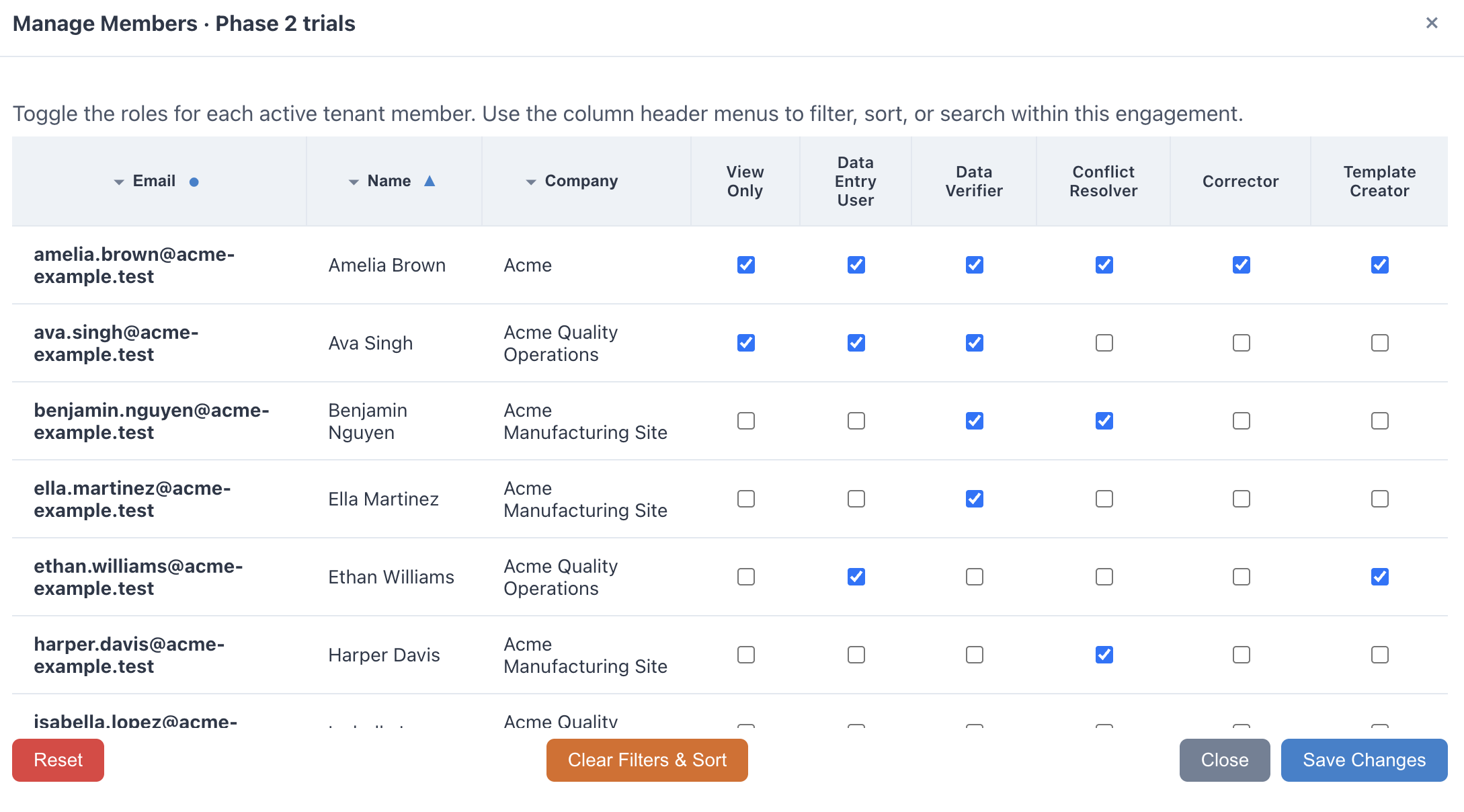
Invite internal teams or external partners. Scoped access ensures partners only see the templates assigned to them.
- Admin, Submitter, Reviewer, and Read-only roles
- Multiple partner organizations in one workspace
- Submission status visible as it happens
Step 03
Enter and verify
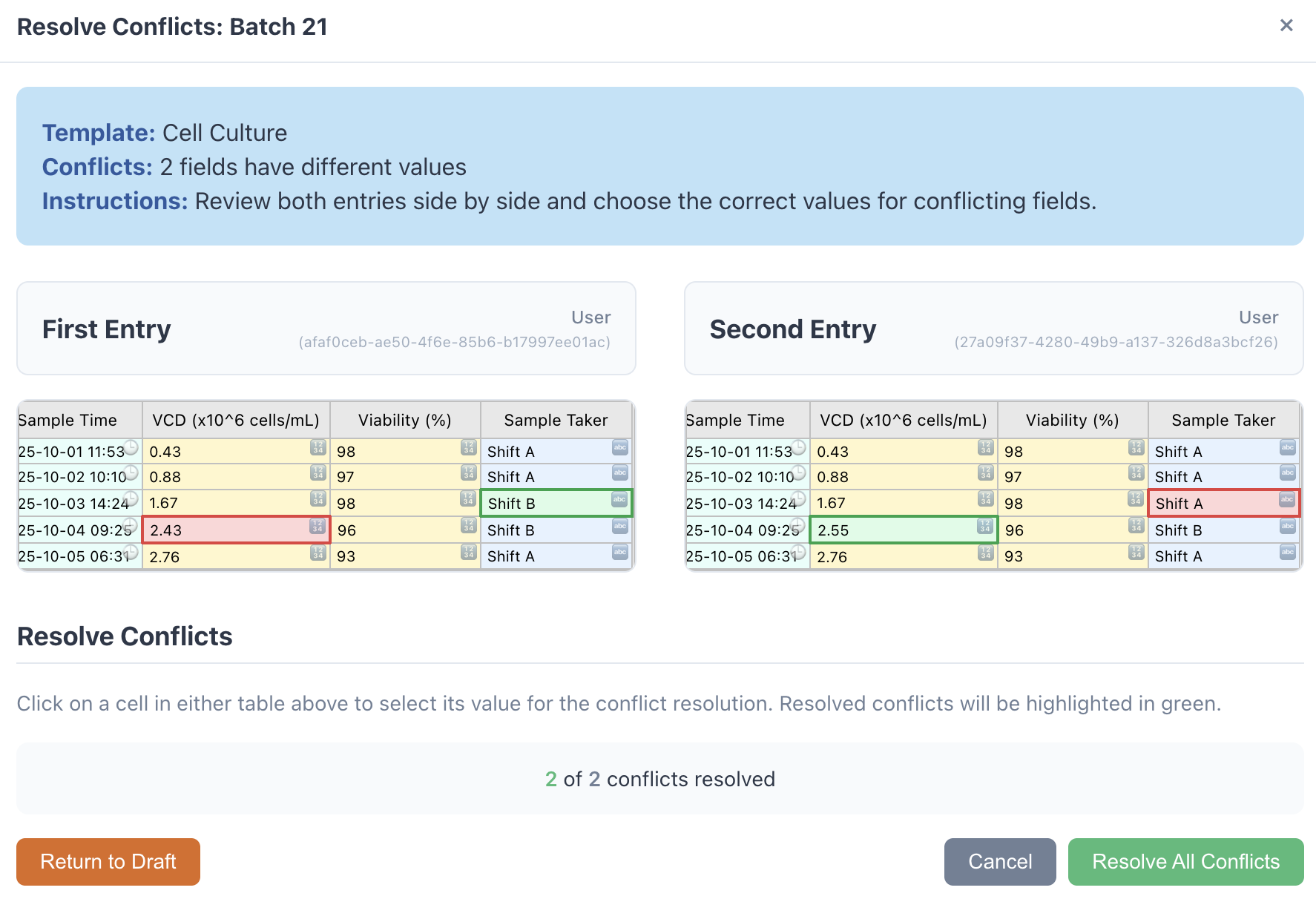
Users complete the templates in their browser. Controlled workflows, optional verification, and conflict resolution keep you compliant.
- Field validation catches errors at entry
- Double-blind entry for high-risk batches
- Independent reviewer resolves conflicts; everything is logged
Step 04
Use your data
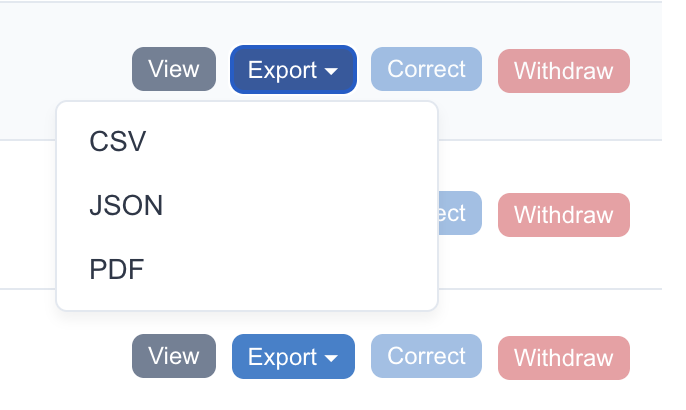
Export verified records in multiple formats, run in-built analytics, or connect to your data directly via API.
- PDF exports include a SHA-256 tamper hash
- Audit trail captures who did what, when, and why
- 21 CFR Part 11 compliant
Schedule a demo
Most teams have their first live submission within weeks, not months.
Book a demo